

Stolen Microsoft 365 sessions beat MFA at 79 organizations, Huntress finds
A 10-week campaign replayed sign-in tokens issued after MFA, so victims who completed MFA handed over access in the same step. In a four-day September burst, the four organizations that turned the attacker away were running Conditional Access
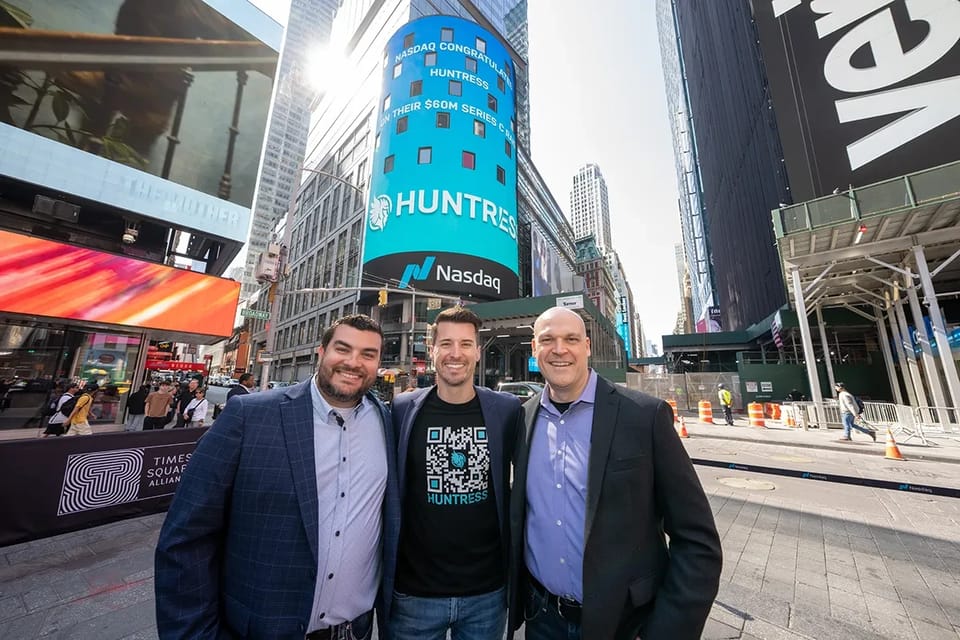
Between 14 July and 22 September, an attacker signed in to Microsoft 365 accounts at 79 organizations without knowing a single password, according to research Huntress published on 22 October. The security company, which says it protects more than 270,000 businesses and works with managed service providers (MSPs) as well as in-house IT teams, counted at least 497 successful sign-ins and more than 200,000 failed attempts. The stolen sessions were replayed mainly from rented hosts in one block of internet addresses owned by 1337 Services GmbH, a hosting provider incorporated in Hamburg. Infosecurity Magazine reported the findings on 23 October.
The method explains why multifactor authentication (MFA) did not stop it. Victims signed in through a relay placed between them and Microsoft’s real login page. The relay passed the genuine MFA prompt through, let the victim complete it and kept the session token Microsoft issued at the end. Because that token is minted after MFA, Huntress notes, whoever holds it does not need to pass MFA again. Other tokens came from device-code phishing, in which a victim types a code into Microsoft’s genuine sign-in page and unknowingly authorizes the attacker’s session.
The attacker then replayed the stolen tokens in bulk from rented machines. Huntress calls this “token spraying”: the pattern of password spraying, with stolen tokens in place of guessed passwords.
For the directors who answer for cyber risk at mid-sized firms, the research moves the question from whether MFA is switched on to what checks a sign-in after MFA has been passed. In the one burst for which Huntress gives blocked and successful sign-ins side by side, the control that turned the attacker away was Conditional Access, Microsoft’s policy engine for deciding who may sign in, from where and on what, and one that is sold with Microsoft’s higher license tiers.
What the attacker did once inside
The tokens were the way in, and the attacker worked to stay after they expired. Huntress found at least 48 rogue computers registered in victims’ Microsoft directories, each named “DESKTOP-” followed by eight hexadecimal characters. In 19 organizations, the victim’s existing MFA methods were wiped and a new one registered within three hours of the first sign-in from a campaign address.
On 21 July, according to one timeline in the research, a victim reached the MFA prompt through a relay at 17:18 UTC. The session was hijacked from a 1337 Services address 12 minutes later, and at 18:08 a new authenticator app labeled “iPhone 13” was activated on the account. “Registering their own authenticator app is a persistence method,” the researchers wrote. A stolen session expires; an authenticator stays on the account and, they explain, survives a password reset unless someone audits the account’s MFA methods and removes it.
In the mailboxes, the attacker set up inbox rules with forgettable names such as “s” and “d”. One hid any message mentioning payroll, direct deposit, bank or bonus. A second marked all mail from an outside accountant as read and moved it to the Conversation History folder, out of the victim’s sight. The compromised account then sent a payroll-related email to that accountant. “Access to a Microsoft 365 account sets the stage for business email compromise (BEC),” Huntress said.
Four blocking organizations and 29 breached ones
The clearest figures come from a burst that began on the afternoon of 11 September, when the attacker switched to a new address and an automated script. Within two hours Huntress had sent incident reports to 22 customers. Over four days, that address completed 303 successful sign-ins across 29 organizations, by the count in the research’s timeline; its mitigation section gives 232 sign-ins across 28. The same address logged 1,052 blocked sign-ins, and every one of those blocks came from four organizations.
“In the 29 organizations where it got in, nothing stood in the way,” the researchers wrote. They draw a lesson for incident responders from the split: ranking tenants by failed attempts “would have pointed responders at the four where Conditional Access was already working”.
Huntress points out that a Conditional Access block happens after authentication succeeds, so even a block at one of the four organizations is evidence that a valid credential is in the attacker’s hands. Its researchers advise treating such a block “as a sign of a valid credential, not a save”.
Conditional Access and the license tier
Conditional Access is not part of every Microsoft 365 plan. Microsoft’s documentation says the feature requires Microsoft Entra ID P1 licenses, that Microsoft 365 Business Premium customers can also use it, and that risk-based policies need Entra ID P2. Security defaults, Microsoft’s baseline protections, are available to all customers. Huntress does not say which licenses the 29 organizations held, or whether some had Conditional Access and had set it up loosely.
Huntress said businesses setting up Conditional Access policies “should require MFA (or block) for All Users, All Cloud Apps, and All Client App types, unconditionally.” It added that a password reset alone leaves attacker-registered devices and MFA methods in place, and that a stolen access token stays valid for about 90 minutes unless the user’s sessions are revoked.
Across 10 weeks, one attacker working mainly from six rented addresses signed in to Microsoft 365 accounts at 79 organizations, using sessions the victims had opened themselves. In the September burst, the only organizations Huntress records turning the attacker away were the four whose Conditional Access policies blocked 1,052 attempts. The control that held is one Microsoft licenses through Entra ID P1 or Microsoft 365 Business Premium, which puts part of the defense against this attack in the license budget as well as the security settings.


Get The VETTDD BriefingThe week in B2B technology, every week.
Subscribe freeSources
- Huntress, “M365 Token Spray and Replay Campaign Compromises Business Email Accounts”, research blog by Andrea Hatcher, Susannah Matt, Matt Poto and Andrew Schwartz, 22 October 2026. https://www.huntress.com/blog/token-replay-spray
- Infosecurity Magazine, “Widespread Token-Spraying Attacks Target Microsoft 365 Accounts For Email Compromise”, Danny Palmer, 23 October 2026. https://www.infosecurity-magazine.com/news/tokenspraying-attacks-target/
- Microsoft, “Microsoft Entra Conditional Access: Zero Trust Policy Engine”, Microsoft Learn documentation, updated 27 April 2026. https://learn.microsoft.com/en-us/entra/identity/conditional-access/overview
- Huntress, “Huntress Surpasses $250 Million in ARR and 270,000 Businesses Protected”, press release, 30 July 2026. https://www.huntress.com/press-release/huntress-surpasses-250-million-in-arr

Editor
The VETTDD editorial desk. Interviews, analysis, columns and news briefs on the decisions shaping B2B technology.
More from Editor
Tech supplier breaches account for most victims in Kroll's cases
LiteLLM’s second hijacked release reached the keys behind the gateway

The Gentlemen overtake Qilin as ransomware listings climb to 2,894

Attackers take three days on average to exploit new flaws, Rapid7 finds
The week in B2B technology, in five minutes
Every week: the interview, the briefs that matter and one view from the editor. Free.